














• Saltar para a navegação principal
  • Saltar para o conteúdo principal
  • Saltar para o rodapé

Onyx Graphics - Software RIP para impressão de grande formato


dashicons-linkedin

dashicons-facebook-alt

dashicons-instagram

Transferências▼Portal do revendedor▼
  • Produtos
  • Ensaios gratuitos
  • Página inicial do portal
  • Marketing
  • Kits de lançamento
  • Promoções
  • Guia de estilo
  • Imagens de amostra
  • Atualização da demonstração
pt_PT
pt_PT en_US es_ES fr_FR zh_CN ja de_DE ko_KR
A simple magnifying glass icon on a white background, commonly representing the search function, perfect for use in cutting or printing workflows with Onyx Graphics.
  • Produtos
        • Versão mais recente
        • ONYX 25
          Obter a versão mais recente
          do seu software RIP

        • Produtos RIP
        • ONYX Thrive
          Solução de fluxo de trabalho e RIP de rede escalável

          ONYX PosterShop
          RIP fácil e potente com
          controlo avançado da cor

          ONYX RIPCenter
          RIP simplificado com
          ferramentas de cor intuitivas

          ONYX Go
          Assinatura de software RIP

        • Soluções para empresas
        • ONYX Align
          Gestão de centros de impressão
          software

          ONYX Hub
          Sistema de controlo analítico

        • Ferramentas e automatizações
        • ONYX Trufit
          Com base na forma, inteligente
          software de encaixe

          ONYX Sync
          Software completo
          sistema de conetividade

        • Apoio
        • ONYX Advantage
          Suporte e actualizações para
          proteger o seu investimento

        • Produtos ONYX

          Explore the ONYX Ecosystem, with all products working together to provide you with a fully supported print shop.

          Saiba mais

  • Aplicações
    • Sinais e gráficos
    • DTF
    • Têxtil
    • Embrulho
    • Automatização
    • Corte
    • Gestão de cores
    • Sustentabilidade
  • Loja
  • Get Training
    • Comprar cursos
    • ONYX Learning Zone
  • Sobre nós
    • Empresa
    • Equipas regionais
    • Notícias
    • Encontrar um revendedor
  • Recursos
    • Compatibilidade
    • FAQ
    • Ajuda online
    • Gerir subscrições
    • Centro de pagamento
    • Contactar-nos
    • Bibliotecas ONYX Quick Set
    • Actualizações e Patches
    • Produtos
    • Teste gratuito
Abstract geometric background with overlapping blue and navy diagonal shapes and lines, ideal for printing projects or use with Onyx Graphics software.

Product Downloads

To download the latest version of ONYX software, click on the
appropriate product icon below

View Release Notes ONYX Systems Specs Anti-Virus/FireWall Guideline

Início / Transferências

RIP Software

Best-in-class RIP software solutions for any size print shop

ONYX PosterShop

Full-featured RIP Software for one complete workstation

Saiba mais Download

ONYX RIPCenter

Getting you started in wide-format printing

Saiba mais Download

ONYX Go

ONYX RIP software subscription

Saiba mais Download

Site Solutions

Scalable RIP and print workflow, automated nesting, and business tools

ONYX TruFit - Mac

Automated shape-based nesting for any RIP environment on Mac

Saiba mais Download

ONYX Thrive

Double the power with support for two full workstations out-of-the-box

Saiba mais Download

ONYX Hub

Business intelligence tool for real-time, historic and trend print production and cost data for better business decisions

Saiba mais Download

ONYX TruFit - PC

Automated shape-based nesting for any RIP environment on Windows

Saiba mais Download

Additional downloads

Additional ONYX RIP Product downloads

ONYX ProductionHouse

Full-featured RIP software with support for up to 4 printers

Download

ONYX GamaPrint

RIP-Queue for basic RIP functionality

Download

Four parallel white diagonal lines on a light gray background evoke precision, reminiscent of cutting or printing paths in RIP software workflows.

Try It First

Free Trials of ONYX Products

Onyx Graphics offers a 15 day free trial with 15 days phone support to

ensure you're happy with ONYX before you buy

ONYX Product Trials

The image shows the number "25" above the word "ONYX," both in dark blue, enclosed by two swirling blue crescents forming an oval—representing 25 years of innovation from Onyx Graphics in RIP Software for professional printing.

ONYX 25 is a powerful RIP software that streamlines print workflows with smarter automation, enhanced usability, and expanded device support.

Saiba mais Ensaios gratuitos

Software Downloads & Printer
Drivers Notice

At Onyx Graphics, Inc., we are committed to providing our customers with the best possible support for our product. Please note that we only offer software downloads and printer drivers for versions categorized as *Legacy* or newer, as listed on this page. **Software and drivers for versions prior to those classified under the *Legacy* category or no longer available.**
ONYX 25 (Current)

Release Notes 25 Release Notes 25.0.0

Release Notes 25.0.1 Release Notes 25.0.1

Data Access Data Access Release Notes 3.3.0

Data Access 3.0.0

Data Access Installer

THRIVE PRODCUTS ONYX Thrive 25.0.1

RIP PRODUCTS ONYX Go 25.0.1

ONYX Go HP 25.0.1

ONYX PosterShop 25.0.1

ONYX RIPCenter 25.0.1

ONYX ProductionHouse 25.0.1

ONYX GamaPrint 25.0.1

THRIVE PRODUCTS ONYX Thrive 25.0.0

RIP PRODUCTS ONYX Go 25.0.0

ONYX Go HP 25.0.0

ONYX PosterShop 25.0.0

ONYX RIPCenter 25.0.0

ONYX ProductionHouse 25.0.0

ONYX GamaPrint 25.0.0

ONYX 24 (Previous)

Release Notes 24.0.0 Release Notes 24.0.0

Release Notes 24.0.3 Release Notes 24.0.3

THRIVE PRODUCTS ONYX Thrive 24.0.3

RIP PRODUCTS ONYX Go 24.0.3

ONYX PosterShop 24.0.3

ONYX RIPCenter 24.0.3

ONYX GamaPrint 24.0.3

ONYX ProductionHouse 24.0.3

THRIVE PRODUCTS ONYX Thrive 24.0.0

RIP PRODUCTS ONYX Go 24.0.0

ONYX PosterShop 24.0.0

ONYX RIPCenter 24.0.0

ONYX GamaPrint 24.0.0

ONYX ProductionHouse 24.0.0

ONYX Hub 24.0.0

ONYX 22 (Legacy)

WORKFLOW PRODUCTS ONYX Thrive 22.5.1

ONYX Thrive 22.5

ONYX Thrive 22

RIP PRODUCTS ONYX Go 22.5.1

ONYX Go 22.5

ONYX Go 22

ONYX PosterShop 22.5.1

ONYX PosterShop 22.5

ONYX PosterShop 22

ONYX RIPCenter 22.5.1

ONYX RIPCenter 22.5

ONYX RIPCenter 22

ONYX GamaPrint 22.5.1

ONYX GamaPrint 22.5

ONYX GamaPrint 22

ONYX ProductionHouse 22.5.1

ONYX ProductionHouse 22.5

ONYX ProductionHouse 22

For customers using older versions, we encourage you to explore our latest offerings to  take advantage of enhanced features, improved performance, and continued support. Please contact our support team if you have any questions or need assistance with upgrading.
Support Availability

Phone and email support are available for the following customers:

  • ONYX Advantage plan subscribers (Current or Previous versions, NOT Legacy)
  • ONYX Go subscribers (Current Version)
  • Customers with evaluation software (Current Version)
If you fall into one of these categories and need assistance, our dedicated support team is ready to help you.

Nota: Legacy versions of our software are still available to download for your
convenience: however, our Support is only available for Current and Previous versions as
listed above.

NOTE for Key Holders: Before downloading the latest version release, please make sure
your key has been updated to support the current version.

To validate what version you are licensed for, please use one of the following resources:

For Soft Licenses: Portal de licenças ONYX
For Hardware Keys: Web Key Look-up Tool

Instructions

  • First, download the ONYX Printer Driver and Profile Download Manager software.
  • Once the download is complete, double-click the file and follow the instructions in the wizard to install the program.
  • After you have installed the Printer and Profile Download Manager, you can open it from the Start Menu in Windows.
  • Select your Printer Make and Model, and then select which Media you would like to download.
  • The media you select will download as a “Printer install file” or “.prninst”.

Note: When using the ONYX Printer & Profile Download Manager, the software validates your key before the download commences. Some users have experienced problems when the Download Manager tries to complete this process. Because this validation goes to an https server to check the key through port 443, unblocking this port should resolve the issue.

Installing Printer Drivers and Profiles

View this quick video to learn more about installing printer drivers and profiles.

Notícias e blogues

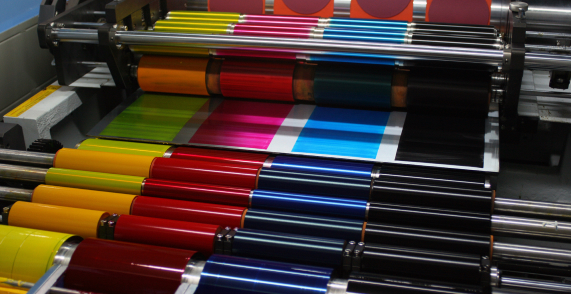
A printing press machine from Onyx Graphics applies various colored inks onto a sheet, demonstrating the CMYK color printing process.
julho 16 2024 | Por mrktg
Integrar e elevar: O poder do Align para as gráficas modernas
Ler mais
julho 8 2024 | Por mrktg
Em breve: Desbloqueie a eficiência e a precisão com o ONYX 24
Ler mais
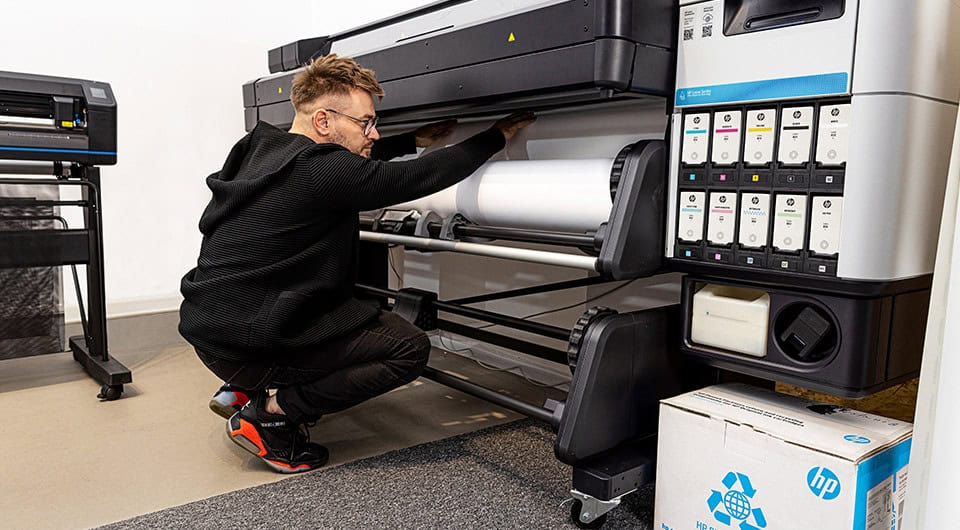
A person is loading a roll of paper into a large-format printer in an office or print shop setting, preparing for printing and cutting tasks using Onyx Graphics software.

setembro 20 2023 | Por Jonathan Rogers
A Onyx Graphics e a HP unem forças para certificar o software ONYX para a série de impressoras HP Latex 630.
Ler mais
Man wearing glasses and a blue shirt sits at a desk, looking intently at a computer monitor in a modern office setting, focused on advanced printing and cutting tasks using Onyx Graphics software.
abril 6 2023 | Por Lindy Schwendiman
A Onyx Graphics irá apresentar a próxima versão na ISA Sign Expo 2023
Ler mais
Setembro 29 2025 | By mrktg
Onyx Graphics Heads to Orlando for Printing United Expo 2025
Ler mais
Setembro 8 2025 | By mrktg
ONYX Align Version 1.6 Is Here-A Must-Have for Modern Print Shops
Ler mais
Agosto 6 2025 | By mrktg
Achieving Precision in Print-and-Cut Workflows with ONYX Software
Ler mais
Agosto 6 2025 | By mrktg
 Regain Your Time and Boost Profits with ONYX Align
Ler mais
junho 16 2025 | Por mrktg
O ONYX 25 chega em julho de 2025: Fluxos de trabalho mais inteligentes. Usabilidade refinada. Maiores possibilidades.
Ler mais
maio 8 2025 | Por mrktg
Onyx Graphics obtém certificação para as impressoras HP Latex séries 730 e 830
Ler mais
abril 2 2025 | Por mrktg
Atualização para ONYX Thrive e desbloqueio da nossa maior oferta de troca
Ler mais
março 28 2025 | Por mrktg
A ONYX Graphics obtém certificação para a impressora HP Latex R530
Ler mais
março 18 2025 | Por mrktg
O software ONYX RIP permite que a nova Epson SureColor S9100 tenha um desempenho de impressão inigualável
Ler mais
março 3 2025 | Por mrktg
ONYX Graphics na FESPA 2025: Elevando a inovação na impressão
Ler mais

Ler mais

Parceiros globais

Canon logo in bold red letters on a white background, ideal for use with RIP Software like Onyx Graphics for precise cutting and printing applications.
Epson logo in bold blue letters on a white background, often seen alongside RIP software like Onyx Graphics for precise cutting and print solutions.
The image shows the HP logo with lowercase "hp" letters in white inside a blue circle, often associated with cutting and printing solutions powered by Onyx Graphics.
Mimaki logo featuring the brand name in bold red lowercase letters on a white background, representing excellence in printing and compatibility with RIP software like Onyx Graphics.
Roland Digital Group logo featuring a black rectangle and lines next to the brand name in bold text, representing excellence in printing and cutting solutions.
ZÜND logo with bold blue text and a red arrow, accompanied by the words "swiss printing and cutting" below in light blue, highlighting advanced Cutting solutions compatible with leading RIP Software.
X-Rite logo with a stylized blue triangle on the "X" and bold black text spelling "Rite" on a white background, ideal for printing and cutting workflows used with Onyx Graphics.
The DigiTech logo with blue text on a white background, ideal for printing projects or integration with Onyx Graphics RIP Software.
Logo for Digital Graphics Incorporation featuring large black "DGI" letters, inspired by Onyx Graphics. Two small orange squares—one inside the "G," another between "G" and "I." Company name appears below, reflecting expertise in RIP Software and cutting solutions.
Logo for "HandTop USA" with "HandTop" in bold black letters, a red circle forming the "o," and "usa" in light gray lowercase letters to the right—perfect for printing and RIP Software branding.
The image shows the word "GRAPHTEC" in bold, blue, uppercase letters on a white background, often associated with Onyx Graphics and advanced printing solutions.
The word "grando" in blue lowercase letters; the letters "d" and "o" are connected with an infinity symbol design, reflecting innovation in cutting and printing inspired by Onyx Graphics.
The Fujifilm logo features a red icon with stylized "FUJI" text next to bold, black "FUJIFILM" lettering on a white background, representing innovation in printing and visual technology.
Kongsberg Precision Cutting Systems logo features the word "Kongsberg" in large letters, with "Precision Cutting Systems" below in smaller text, highlighting its expertise in Cutting and compatibility with Onyx Graphics RIP Software.
The image shows the logo "JWEI" with the letter "J" in orange and the rest in black, featuring a black underline below "WEI," highlighting its connection to cutting technology and RIP software like Onyx Graphics.
Black text logo reads "nix Color Sensor" on a white background, making it perfect for integration with cutting solutions or RIP software like Onyx Graphics.
The d.gen logo featuring four petal-shaped segments in yellow, blue, red, and black symbolizes innovation in printing, displayed to the left of the "d.gen" text in lowercase letters.

The VUTEk logo in red uppercase letters with a black swoosh underneath and a trademark symbol above the letter "K," often seen in Printing and Cutting solutions from brands like Onyx Graphics.
The image shows the Ricoh logo in bold red uppercase letters on a white background, representing innovation in printing and cutting solutions.
The image displays the MUTOH logo in bold, blue uppercase letters on a white background, highlighting its association with RIP Software for professional printing and cutting solutions.
The image shows the EFI logo in blue lowercase letters on a white background, representing a leader in printing and RIP software solutions.
The image shows the word "durst" in a rounded, sans-serif black font on a white background, evoking themes of printing and cutting in modern graphic design.
AGFA logo with bold black "AGFA" text and an orange diamond shape containing the word "Agfa" in white script, highlighting its legacy in printing and cutting technology.
The image shows the Brother logo with the brand name "brother" in bold, black lowercase letters on a white background, often associated with cutting-edge solutions like Onyx Graphics and advanced RIP Software.
ColorJet logo with tagline "India's largest manufacturer of Digital Inkjet Printers" on a white background, highlighting expertise in Printing and advanced RIP Software like Onyx Graphics.
Docan Digital Printing System logo with an orange swoosh and star above "Docan," highlighting advanced printing and cutting. The tagline is written below in black text.
InkTec logo in bold blue letters with horizontal lines cutting through the upper part of the text, set against a light gray background—perfect for showcasing advanced printing or cutting solutions.
The word "dimi" in lowercase letters, with the letters "i," "m," and "i" each represented by vertical bars in blue, pink, and orange colors—perfect for showcasing Onyx Graphics’ cutting-edge printing solutions.
DLican logo featuring a blue triangle design on the left and "DLICAN" beside it, inspired by Onyx Graphics and RIP Software, with the tagline "COLOR YOUR WORLD" underneath.
The swissQprint logo features the brand name in lowercase black letters with a red "Q" in the center, set against a white background—perfect for professionals using Onyx Graphics or advanced RIP Software for precision printing and cutting.
Logo with the word "MEHTA" in blue capital letters, featuring a red curved swoosh and a small checkered arrow below the letter "A," ideal for Printing businesses or those seeking advanced solutions like RIP Software from Onyx Graphics.
The word "FLORA" in green capital letters with an image of a sunflower replacing the letter "O" on a white background, perfect for cutting or printing with RIP software.
The word "JETRIX" in bold blue letters, with the letter "X" featuring a yellow-to-green gradient, highlights advanced features like cutting and seamless integration with RIP software such as Onyx Graphics.

Onyx Graphics logo featuring three diagonal blue lines to the left of the word "ONYX" in light gray text on a light background, representing expertise in printing and RIP software solutions.

Onyx Graphics, Inc.
6915 South High Tech Drive,
Salt Lake City, UT 84047

+1 801.568.9900
sales@onyxgfx.com

Portal do revendedor
Política de privacidade
Termos de utilização
Garantia limitada

Acessibilidade da Web
ISL
Centro de pagamento
Contactar-nos


dashicons-linkedin

dashicons-facebook-alt

dashicons-instagram

Este sítio está protegido pelo reCAPTCHA e pelo Política de privacidade da Google e Termos do serviço aplicar

© 2025 Onyx Graphics, Inc. Todos os direitos reservados. Desenhado por TinyFrog Technologies.

Utilizamos cookies no nosso sítio Web para lhe proporcionar a experiência mais relevante, recordando as suas preferências e visitas repetidas. Ao clicar em "Aceitar", está a consentir a utilização de TODOS os cookies.
Não vender as minhas informações pessoais.
Definições de cookiesAceitar
Gerir o consentimento

Visão geral da privacidade

Este sítio Web utiliza cookies para melhorar a sua experiência enquanto navega no sítio Web. Destes, os cookies que são categorizados como necessários são armazenados no seu browser, uma vez que são essenciais para o funcionamento das funcionalidades básicas do sítio Web. Também utilizamos cookies de terceiros que nos ajudam a analisar e a compreender a forma como o utilizador utiliza este sítio Web. Estes cookies serão armazenados no seu browser apenas com o seu consentimento. O utilizador também tem a opção de recusar estes cookies. Mas a exclusão de alguns destes cookies pode afetar a sua experiência de navegação.
Necessário
Sempre activado
Os cookies necessários são absolutamente essenciais para que o sítio Web funcione corretamente. Estes cookies asseguram as funcionalidades básicas e as caraterísticas de segurança do sítio Web, de forma anónima.
BiscoitoDuraçãoDescrição
cookielawinfo-checkbox-analytics11 mesesEste cookie é definido pelo plugin GDPR Cookie Consent. O cookie é utilizado para armazenar o consentimento do utilizador para os cookies na categoria "Analytics".
cookielawinfo-checkbox-functional11 mesesO cookie é definido pelo consentimento do cookie GDPR para registar o consentimento do utilizador para os cookies na categoria "Funcional".
cookielawinfo-checkbox-necessary11 mesesEste cookie é definido pelo plugin GDPR Cookie Consent. Os cookies são utilizados para armazenar o consentimento do utilizador para os cookies na categoria "Necessário".
cookielawinfo-checkbox-others11 mesesEste cookie é definido pelo plug-in GDPR Cookie Consent. O cookie é utilizado para armazenar o consentimento do utilizador para os cookies na categoria "Outros".
cookielawinfo-checkbox-performance11 mesesEste cookie é definido pelo plugin GDPR Cookie Consent. O cookie é utilizado para armazenar o consentimento do utilizador para os cookies na categoria "Desempenho".
política_de_cookies_visualizados11 mesesO cookie é definido pelo plug-in GDPR Cookie Consent e é utilizado para armazenar se o utilizador consentiu ou não na utilização de cookies. Não armazena quaisquer dados pessoais.
Funcional
Os cookies funcionais ajudam a realizar determinadas funcionalidades, como a partilha do conteúdo do sítio Web em plataformas de redes sociais, a recolha de feedbacks e outras caraterísticas de terceiros.
Desempenho
Os cookies de desempenho são utilizados para compreender e analisar os principais índices de desempenho do sítio Web, o que ajuda a proporcionar uma melhor experiência de utilização aos visitantes.
Analítica
Os cookies analíticos são utilizados para compreender a forma como os visitantes interagem com o sítio Web. Estes cookies ajudam a fornecer informações sobre métricas como o número de visitantes, a taxa de rejeição, a origem do tráfego, etc.
Publicidade
Os cookies de publicidade são utilizados para fornecer aos visitantes anúncios e campanhas de marketing relevantes. Estes cookies rastreiam os visitantes em vários sítios Web e recolhem informações para fornecer anúncios personalizados.
Outros
Outros cookies não categorizados são aqueles que estão a ser analisados e que ainda não foram classificados numa categoria.
GUARDAR E ACEITAR

Sincronização de informações de compras


Pedir uma demonstração

Para saber mais sobre o ONYX Align e como este pode beneficiar o seu negócio de impressão,
utilize o formulário abaixo e um representante da ONYX irá
contactá-lo para agendar uma demonstração


Obter ONYX RIPCenter

Para solicitar uma avaliação ou comprar, basta preencher o formulário
e um representante da ONYX entrará em contacto consigo
sobre as necessidades da sua empresa.


Consulte os nossos recursos de autoajuda para questões comuns sobre produtos

ONYX SupportCenter


Preencha o formulário para nos informar se não conseguir encontrar o fabricante ou o dispositivo que procura.