







ONYX 25.5 Webinar Replay: What’s New and Your Questions Answered
If there was one message repeated throughout the ONYX 25.5 webinar, it was this: better color accuracy, stronger workflow stability, and improved production efficiency do not require a complete workflow overhaul. Throughout the session, Rick Mitchell, Customer Success Manager at ONYX Graphics, demonstrated practical enhancements that shops can begin using immediately, with a particular emphasis on Smart Spot Search, spectral color capabilities, and Layout Tool improvements.
Watch the webinar replay below to see the new features in action and hear answers to the questions submitted during the live session.
Whether you’re a print shop owner evaluating an upgrade, a production manager focused on efficiency, or a color specialist looking for better spot color accuracy, this ONYX 25.5 demo highlights the updates that can have the biggest impact on daily production.
Chapters
Add final timestamps after video review.
- Welcome and ONYX 25.5 Overview
- Smart Spot Search
- Spectral Spot Color Matching & Delta IM
- Hybrid ICC Profiles and Enhanced Reporting
- G7 Status Viewer and Profiling Updates
- Adobe PDF Print Engine Improvements
- Layout Tool Enhancements
- Cutter and Device Support Improvements
- Live Q&A
- How to Get ONYX 25.5
Five Key Takeaways from the ONYX 25.5 Webinar
1. Smart Spot Search Delivers Better Spot Color Matches
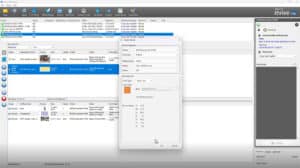
The feature that received the most attention during the presentation was Smart Spot Search. Traditionally, ONYX would identify a single color value that produced the closest match to a target spot color. With ONYX 25.5, the software can now search surrounding values to identify potentially better matches.
For shops that regularly reproduce brand colors, this improvement can help increase accuracy without adding complexity to the workflow. As Rick Mitchell explained, this is a feature that many users can start using immediately. It’s available within rendering intents and can also be enabled through Quick Sets and swatch book generation.
If you’ve ever struggled to match a critical corporate color consistently across different materials and devices, Smart Spot Search is one of the most practical enhancements in ONYX 25.5.
2. Spectral Spot Color Matching Helps Maintain Color Consistency Across Lighting Conditions
Another major enhancement introduced in ONYX 25.5 is spectral spot color matching. While traditional color matching focuses on Delta E measurements, ONYX 25.5 can now also evaluate Delta IM, a measurement related to metamerism, or how colors shift under different lighting conditions.
The webinar highlighted dye-sublimation applications as a strong example. A color that looks correct indoors may appear noticeably different outdoors or under stadium lighting. By measuring color stability across lighting environments, shops can better understand how printed output will appear in real-world conditions.
For print shops producing apparel, soft signage, and graphics viewed under varying light sources, this capability provides an additional layer of confidence during color validation.
3. Existing ICC Profiles May Already Contain Untapped Value
Many ONYX users may already have the data needed to benefit from spectral workflows.
During the demonstration, Rick Mitchell showed how existing Version 4 ICC profiles can be converted to new hybrid profiles when spectral reflectance data is available. This allows ONYX 25.5 to leverage information that may already exist in a profile but was not previously being used.
The result is enhanced reporting that includes both Delta E and Delta IM measurements, providing greater visibility into color accuracy and color stability. For shops already investing in profiling and color management, this makes existing profile data more valuable.
4. Layout Tool Continues to Reduce Production Steps
Several ONYX 25.5 updates are focused on reducing the number of applications and workflow steps required to prepare jobs.
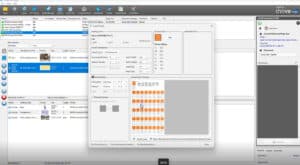
The webinar demonstrated new and expanded Layout Tool capabilities, including:
- Color replacements
- Spot layer generation
- White ink generation
- Custom cut mark colors
- Bleed-related enhancements
- Mirror and reflect-at-print-time options
One particularly useful workflow improvement is the distinction between Mirror y Reflect at Print Time. Mirror flips both the image and cut data, while Reflect at Print Time flips the image but keeps cut data readable. This can simplify workflows for applications such as printing to the reverse side of clear acrylic while cutting from the front side.
The ability to generate white ink layers directly within Layout Tool also helps streamline production for transparent and specialty substrates.


5. ONYX 25.5 Improves Production Stability Across the Release
Beyond color management, ONYX 25.5 includes a range of updates designed to improve overall production reliability and workflow consistency.
Highlights covered during the webinar include:
- Support for up to eight-channel ICC profile creation
- Earlier G7 validation visibility through a new G7 Status Viewer
- An updated Adobe PDF Print Engine (APPE)
- Improved transparency blending handling
- Updated printer connectivity protocols
- Expanded measurement device support
- Cutter workflow improvements
Many of these improvements operate behind the scenes, but collectively they are intended to help shops spend less time troubleshooting and more time producing quality output.
Want to see it on your own jobs?
Start a free ONYX 25.5 trial →
Your Questions Answered
Can ONYX generate a complete Pantone chart?
Not automatically. During the Q&A, Rick Mitchell explained that ONYX can print a Pantone chart if you already have a file containing the Pantone colors, but it does not generate an entire Pantone chart by itself.
Can PDF files be imported into Layout Tool?
Yes. In fact, the file demonstrated during the webinar was a PDF file imported into Layout Tool.
Will color replacements work better on gradients?
Potentially. The discussion focused on how rendering intent choices can affect gradients during color replacement. Alternative rendering intents such as Relative Colorimetric or Perceptual may help preserve smoother transitions when spot color replacements are applied.
Does ONYX 25.5 support 8-channel ICC profiling?
Yes. ONYX 25.5 now supports ICC profile creation with up to eight channels, including CMYK plus Orange, Red, Green, and Blue.
How do I get ONYX 25.5?
According to the webinar, customers with active ONYX Advantage agreements and eligible perpetual licenses are entitled to ONYX 25.5. ONYX Go subscribers also have access. The update is not installed automatically and must be downloaded separately.
Ready to Explore ONYX 25.5?
Whether you’re looking for better spot color accuracy, more consistent results under different lighting conditions, or workflow improvements that simplify everyday production, ONYX 25.5 delivers meaningful enhancements aimed at helping print shops work more efficiently and with greater confidence.
For a complete breakdown of all new features, read the ONYX 25.5 announcement and visit the ONYX 25 product page for additional product information.
Start Your Free Trial
Experience ONYX 25.5 using your own printers, media, and production files.
→ Start a free ONYX 25.5 trial
Questions about licensing, upgrading, or deployment? Contact the ONYX team or your authorized ONYX reseller to learn more.
